How to Add Your Own Animations Without Breaking the Controller
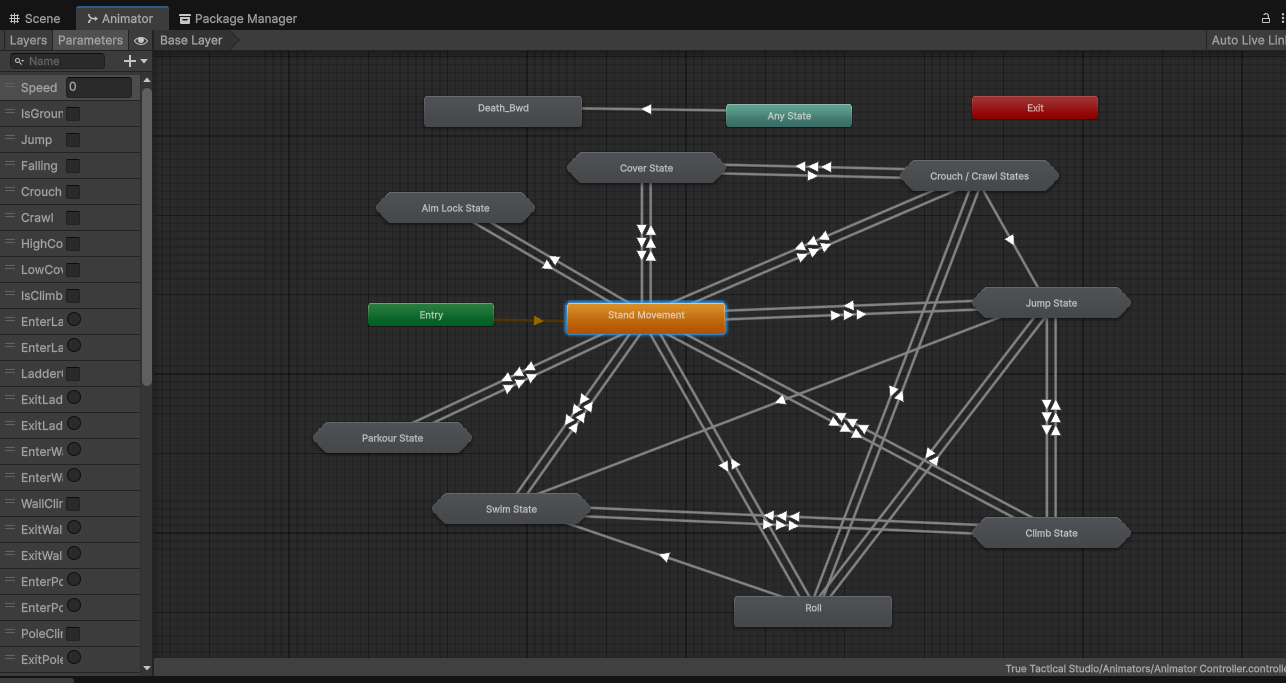
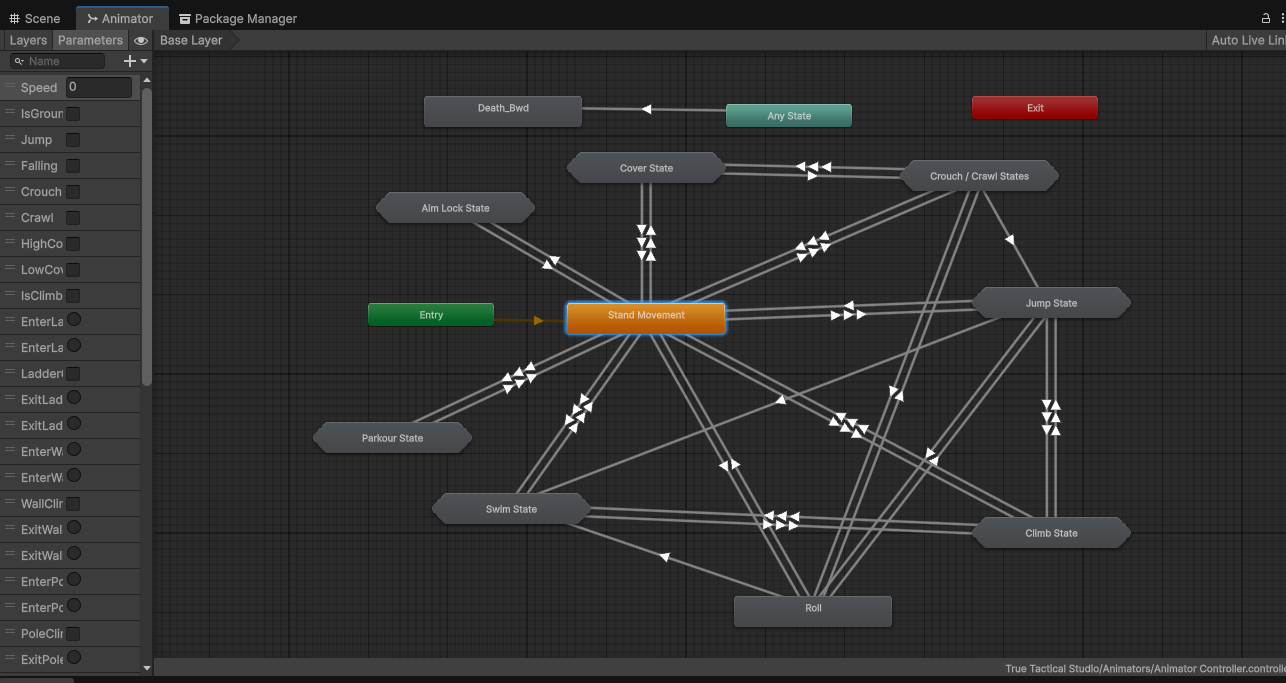
Intro: Your Game, Your Animations Every game has its own style. A fast action game needs snappy movement; a stealth game needs slower, grounded motion. Animations define that style which is why the Modular Third-Person Framework does not ship with any animations. Instead, it comes with a clean Animator Controller filled with placeholder states. Developers can import and assign their own animations directly into those placeholders whether from Mixamo, Unity Asset Store packs, or custom mocap without worrying about breaking the controller.
The Challenge: Animation Lock-In Most third-person controllers on the Asset Store lock you into their animations, which causes problems:
- You’re stuck with the asset’s “look and feel.”
- Replacing animations causes state machines to break.
- Collider adjustments, stamina, and IK don’t sync with new animations.
- Prototyping new animation packs becomes time-consuming.
The Solution – Placeholder Animator + Robust State Machine The framework separates animations from logic. Key Features
- Placeholder Animator → every locomotion, climb, parkour, swim, dive, and cover state has an empty slot ready for your animations.
- Code-Driven Transitions → the state machine handles transitions, so you don’t have to rewire the Animator.
- Enum-Based Animation States → no string references, so renaming or swapping clips doesn’t break logic.
- IK Integration → foot and hand IK automatically adapts to your imported animations.
- Collider & Stamina Sync → colliders resize and stamina costs trigger based on the state, not the animation clip.
Proof: Plug-and-Play Animations Without the framework:
- Importing new animations means editing dozens of Animator transitions.
- Code tied directly to animations breaks when you replace clips.
With the framework:
- Import your animation pack.
- Drop each clip into its matching placeholder state (walk, sprint, vault, climb, dive, cover, etc.).
- The framework automatically handles colliders, stamina, IK, and transitions.
Developer-Friendly by Design
- AnimationEnums keep each system (Locomotion, Parkour, Swim, Climb, Cover, Utility) organized.
- ScriptableObjects let you tweak offsets and timings without touching the animation.
- Context + Factory Pattern ensures animation data flows cleanly between systems.
- Grace Mechanism smooths the handoff between different animation states.
Use Cases
- Indie devs → import free Mixamo animations to test quickly.
- Studios → integrate purchased packs or custom mocap for final polish.
- Stylized games → use exaggerated or cartoony animations without breaking the controller.
- Prototyping → swap animation packs quickly to test different gameplay feels.
Closing: Freedom Without Lock-In Animations should reflect your game, not the asset you bought. With the Modular Third-Person Framework, you get the freedom to import your own animations directly into placeholder states — knowing that the code, IK, colliders, and transitions are already handled.
👉 Get the Modular Third-Person Framework on the Unity Asset Store: Modular Third-Person Framework | Game Toolkits | Unity Asset Store