Collider Configurations: Avoiding Common Player Clipping Problems
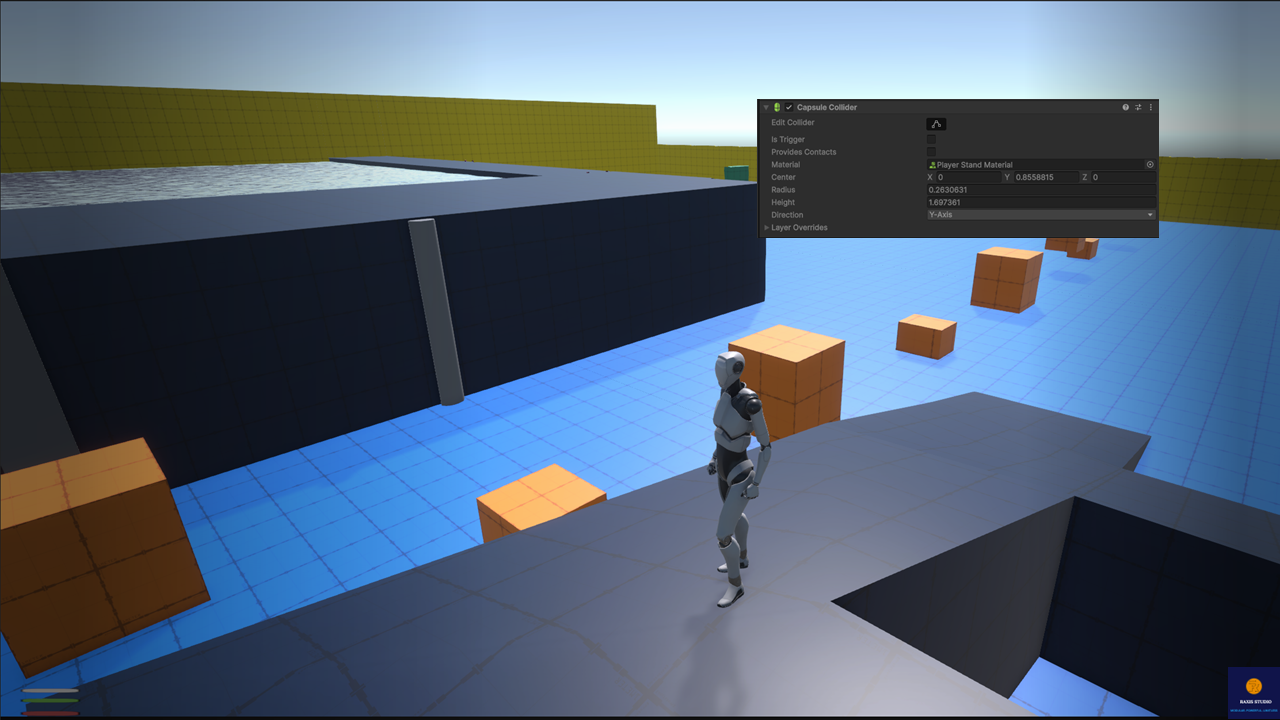
Intro: The Hidden Pain of Colliders Every Unity developer has run into it: the player clips into a wall, floats above a slope, or gets stuck when crouching behind cover. Colliders define how the player interacts with the world but managing them manually across dozens of movement states is a nightmare. The Modular Third-Person Framework solves this with a configurable collider system, powered by ScriptableObjects, Enums, and runtime adjustments. The result? Colliders that adapt automatically to every movement state and environment condition, without breaking immersion.
The Challenge: Colliders Gone Wrong Without a robust collider system, developers face:
- Characters clipping into cover or walls.
- Colliders not resizing correctly when crouching, crawling, or rolling.
- Parkour transitions causing the player to sink into objects.
- Swimming and diving colliders mismatched with animations.
- Manual collider changes scattered across scripts, impossible to maintain.
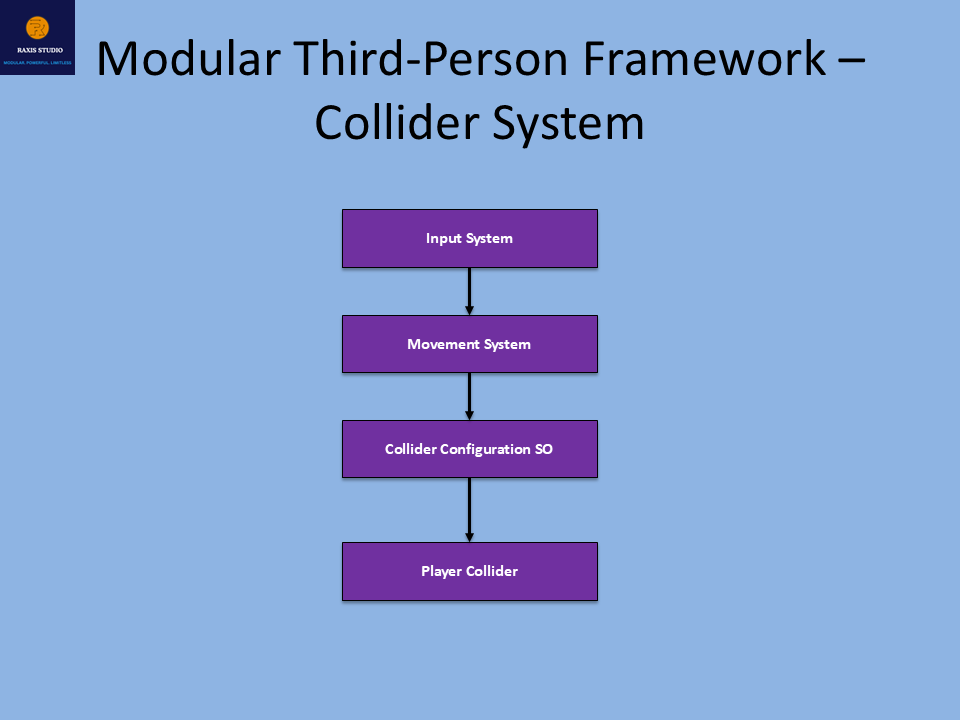
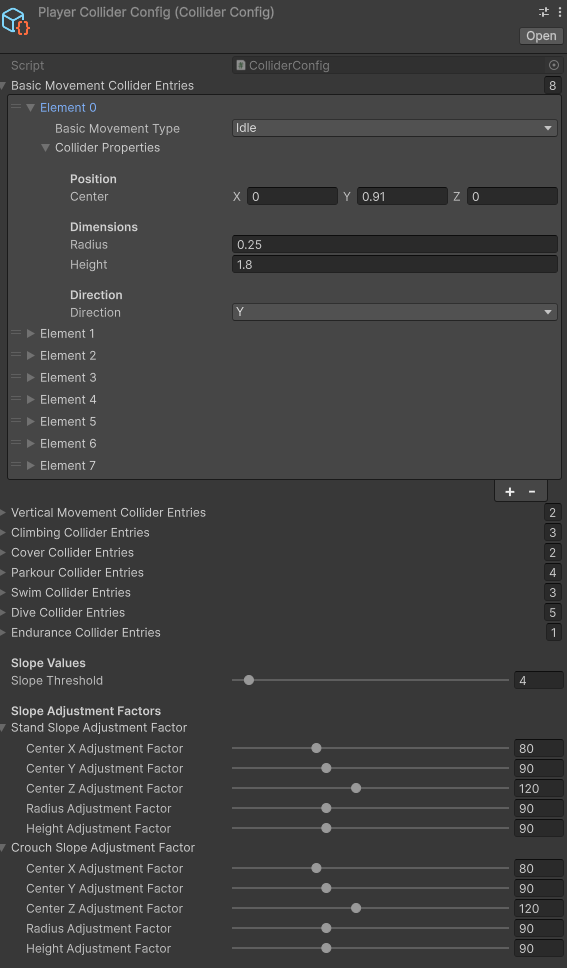
The Solution – Configurable Collider System The framework provides a ScriptableObject-driven collider system (ColliderConfig) with dedicated Enum types (ColliderEnums) for each movement category. This lets you define collider properties for every action in one place. Key Features
- Comprehensive Configurations → Colliders for basic locomotion (idle, walk, jog, sprint, crouch, crawl, aim, roll), vertical movement (jump, fall), climb (ladder, wall, pole, rope), cover (high, low), parkour (vault, small jump, high jump, slide), swimming (idle, forward, exit), diving (idle, jump, forward, upward, downward), and endurance (death).
- ScriptableObject Profiles → All collider settings (center, radius, height, direction) are editable in one ColliderConfig asset, reusable across characters.
- Slope Adjustment Factors → Automatic fine-tuning of colliders when standing or crouching on slopes, preventing gaps or floating.
- Runtime Updates → In PlayerMovementBaseState, colliders are swapped dynamically during state transitions (e.g., sprint → vault → crouch → swim) without clipping.
- Enum-driven Safety → No string references; collider types are strongly typed for each movement state.
Proof: Colliders That Adapt Naturally Without the framework:
- Crouching causes the collider to stay too tall → head clips into low cover.
- Vaulting ignores collider adjustments → body sinks into objects or cannot bypass the object.
- Swimming uses the default collider → player floats above water.
With the framework:
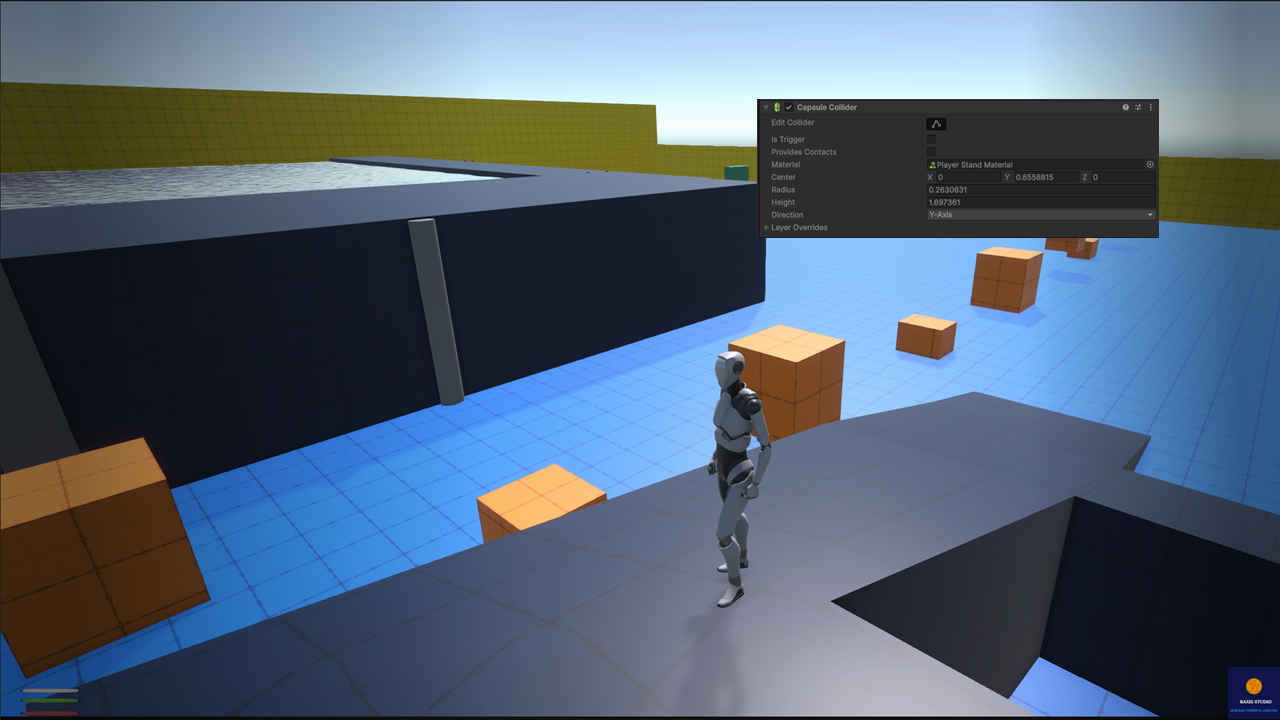
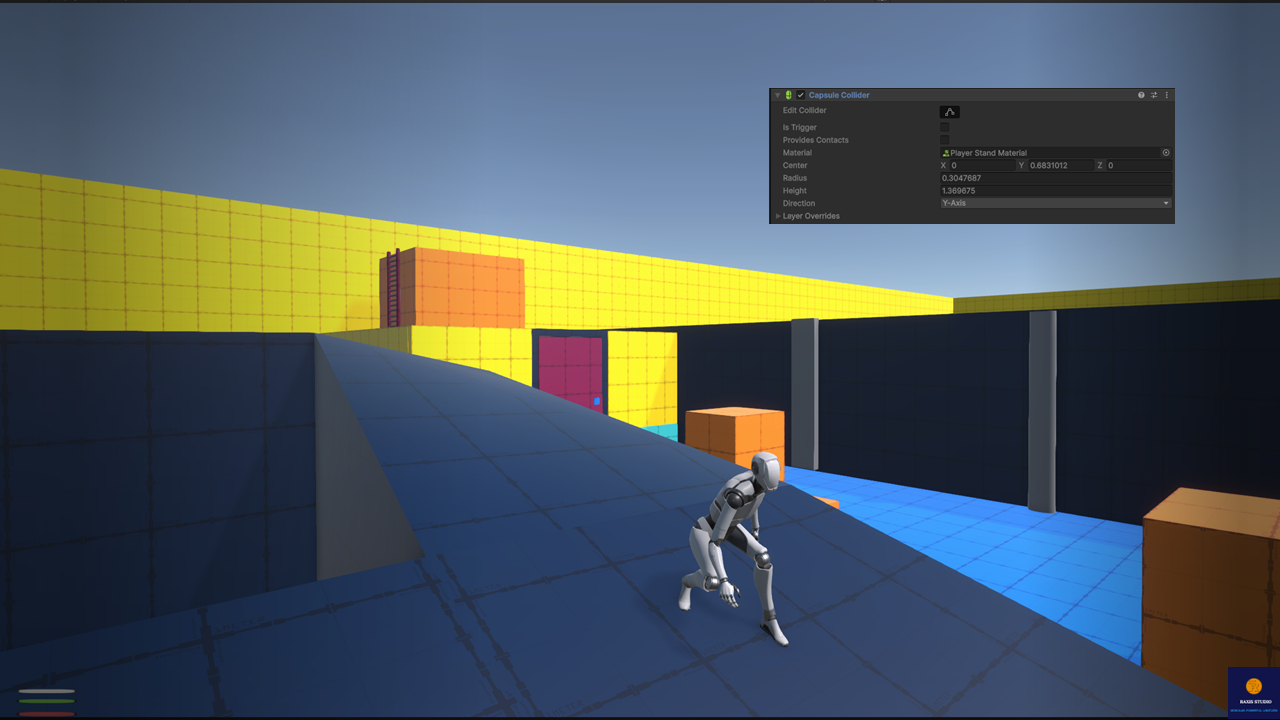
- Colliders resize automatically for crouch, crawl, or roll.
- Parkour actions adjust colliders mid-animation to prevent clipping.
- Swimming/diving colliders match animations perfectly.
- Slope factors ensure feet remain grounded naturally, even on uneven terrain.
Developer-Friendly by Design
- ScriptableObject-driven → All collider configs stored in ColliderConfig assets, tweakable directly in the Inspector.
- Enum-structured → Organized by movement category (BasicMovementSubType, ClimbColliderType, etc.), ensuring clarity.
- Runtime Adjustments → Methods in PlayerMovementBaseState dynamically apply collider changes during transitions.
- Reusable Assets → Multiple characters can share the same ColliderConfig or have unique ones.
- Debuggable → Combined with the Debug Tool, collider changes can be visualized in real time for fine-tuning.
Use Cases
- Stealth games → ensure smooth crouch/cover transitions without clipping.
- Action-adventure → reliable vaulting and climbing without collider glitches.
- Survival games → swimming/diving colliders feel natural in water.
- AI/NPCs → same collider configs can be applied for consistency across enemies and allies.
Closing: Colliders That Just Work Colliders are invisible to players, but when they fail, everyone notices. With the Modular Third-Person Framework, colliders are no longer a headache — they adapt seamlessly to every movement and environment, so your gameplay stays immersive and polished.
👉 Get the Modular Third-Person Framework on the Unity Asset Store: Modular Third-Person Framework | Game Toolkits | Unity Asset Store